Automatic WhatsApp Appointment Reminders: How to Set Them Up
Why automatic WhatsApp reminders fix half your no-shows
Friday morning, a full book, and three empty chairs until 11 am. Your 9 am client didn't show up, didn't let you know, and when you message him he replies, "Oh, I totally forgot." Anyone who works by appointment knows this scene by heart.
Automatic WhatsApp reminders go straight at that problem: the client didn't cancel on purpose, they just forgot. A reminder at the right time, with a button to confirm, turns "I forgot" into "on my way" or, at worst, into an early cancellation that gives you time to fit someone else in.
Here I'll show you when to send the reminder, what to write in each one, how to make confirming a one-tap job and how to automate all of it without having your phone in your hand all day.
When to send the reminder: the two-window rule
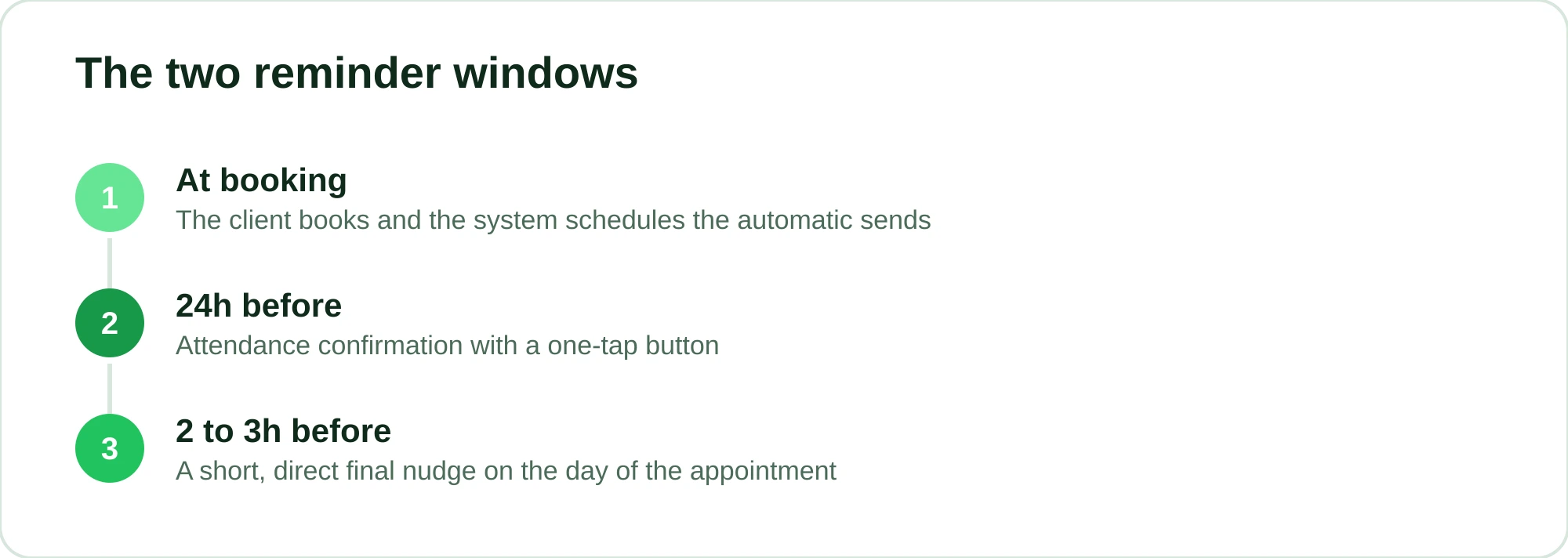
One reminder alone doesn't solve it. Send it too early and the client forgets again. Send it too late and they can't rearrange their day. The sweet spot is to work with two windows.
24 hours before: the confirmation
This is the reminder that cuts the most no-shows. A day ahead, the client still has time to cancel and free up the slot if something changed. This is where you ask them to confirm they're coming.
If they confirm, great, the slot is secured. If they cancel, better to know now than to find out from an empty chair. And if they don't reply at all, you already know that slot needs attention, maybe a phone call or a backup client ready to fill in.
2 to 3 hours before: the final nudge
The second reminder is shorter and works as a trigger on the day. Even someone who confirmed yesterday can get caught up in their routine. A quick message ("your appointment is today at 3 pm, see you soon!") catches the people who were about to let it slip.
For long services (color, keratin smoothing, a full barbershop combo), a heads-up 2 or 3 hours ahead gives the client time to leave home on schedule, so your whole day doesn't run late.
| When | Goal | Tone | Asks for a reply? |
|---|---|---|---|
| 24h before | Confirm attendance | Friendly, clear | Yes, one-tap confirmation |
| 2–3h before | Remind on the day | Short, direct | Optional |
You don't have to stop at two. If you take paid deposits, you can also send a message the moment the appointment is booked, with the receipt and your cancellation policy. But for most barbershops and salons, the two windows above do the job.
What to write in each reminder
The message needs to answer three things at a glance: who's writing, when the appointment is and what the client should do. Client name, your business name, date, time and service. Everything else is filler.
24-hour reminder template
Hi Marcus! This is Leo's Barbershop. Just confirming your appointment tomorrow, Thursday (June 27), at 3 pm: cut + beard with Rafa.
Can you confirm you're coming? 1️⃣ Yes, I'll be there 2️⃣ I need to reschedule
2-to-3-hour reminder template
Hi Marcus! Your appointment at Leo's Barbershop is today at 3 pm. See you soon! If anything comes up, just reply here.
Template for clients who paid a deposit
Hi Julia! You're all set for tomorrow (June 27) at 10 am, highlights with Carla. Your $20 deposit is secured and will be deducted from the final price. If you need to reschedule, please let us know at least 24 hours in advance.
Notice that none of these messages is long. People read WhatsApp at a red light, in the grocery line, between tasks. If the key information isn't in the first two lines, they close it and forget.
If you want ready-made variations to adapt to your business, I put together 15 appointment confirmation message templates you can copy and tweak.
One-tap confirmation: why more people reply
Asking clients to "reply YES to confirm" works, but it adds friction. They have to type, and typing feels like effort. When confirming takes a single tap, the reply rate goes up.
On the official WhatsApp API you can use quick-reply buttons. Instead of asking the client to type, they just tap "Confirm" or "Reschedule." One tap and your schedule already knows the answer. Better still, the reply goes straight back into the system, which updates the schedule on its own.
That matters for two reasons. First, more people confirm when it's easy. Second, you get a clear signal of who's coming and who's unsure, which helps you work your waitlist and fit another client into the slot of someone who rescheduled.
A practical warning: quick confirmation buttons and sending reminders at volume only work reliably on the official API. Anyone using regular WhatsApp or tools that automate outside the API risks getting banned, and then you lose the number that's the heart of your business. It's worth reading about when WhatsApp can ban your business account before you start automating any old way.
How to truly automate it (and stop sending reminders by hand)
Can you send reminders manually? Sure. But on day three you forget, on day five you miss the timing, and in a busy week there's simply no time left. A reminder that depends on your memory is just one more task to forget on a hectic day.
The idea is for the system to do it by itself: the client books, and the 24-hour and 2-hour sends are scheduled automatically, with the right name, service and professional. You don't touch a thing.
In RobotiZap, this comes ready to go. The client books on WhatsApp, either in step-by-step mode (a menu) or by chatting with the AI, which understands free text and even voice messages, and the reminders go out at the right time with one-tap attendance confirmation. Because we're a Meta-certified Tech Provider, everything runs on the official API, so you're not at the mercy of a banned number or a hack that breaks every time WhatsApp updates.
When the client confirms or reschedules with the button, the schedule updates itself. When they don't reply, the slot stays flagged so you can decide what to do. And if you want even tighter control over no-shows, you can ask for a deposit up front through an online payment link (card) right in the chat. People who have money on the line usually show up.
The assistant also works outside business hours: while you're cutting hair or at home, it keeps answering and booking 24/7 on WhatsApp without you having to reply to anything.
Why it's worth it
Look at your own shop. Say an average cut is $40 (an illustrative figure). Every no-show a reminder prevents is $40 that stays in your register instead of turning into an empty chair, and a few a week add up quickly. An empty chair in a busy slot is revenue you never get back.
RobotiZap has a single plan, with unlimited bookings and professionals, conversational AI included, plus reminders, confirmation and deposit collection. RobotiZap doesn't charge per message or per professional, and there's no long-term contract (on the official API, Meta charges its own message fees separately). You also get a free trial. Compared with tools that charge by number of sends or by booking, your RobotiZap subscription doesn't change in your busiest months.
Want to see it working with your own schedule? Create your free RobotiZap account and set up your first reminder in a few minutes.
Frequently asked questions
How far in advance should I send the reminder?
The combination that cuts the most no-shows is two sends: one 24 hours ahead, asking for confirmation, and another 2 to 3 hours before the appointment as a final nudge. The 24-hour one gives time to reschedule; the same-day one catches people who confirmed but got caught up in their day.
Do automatic WhatsApp reminders really reduce no-shows?
They tackle the biggest cause of no-shows, which is simply forgetting. When clients get a clear heads-up and can confirm with one tap, the chance that they show up or cancel in advance goes up a lot. Results vary from business to business, but the drop in no-shows can be significant, especially when you pair reminders with deposits. Read more in the complete guide to reducing no-shows.
Can I use my regular WhatsApp to send reminders in bulk?
Technically you can, but it's risky. Sending at volume and automating outside the official API can lead WhatsApp to block your number. The safe route is the official API, through a Meta-certified provider, which allows reminders and confirmation buttons without putting your account at risk.
What if the client confirms and still doesn't show up?
It happens. That's why reminders work best alongside other safeguards: a deposit up front for clients with a history of no-shows, a clear cancellation policy and a waitlist to fill the slot that opened up. Reminders cut no-shows a lot, but combining these tools is what gets you close to zero empty chairs.
Do I have to set up a reminder for every client?
No. That's the whole point of automation: you set the send windows once (24h and 2h before, for example) and the system applies them to every new booking, filling in the name, service, date and professional on its own. It all comes preconfigured; you only edit the text if you want to give it your own voice.