How to Ask Clients for Reviews (and Put Them to Work)
Why almost nobody leaves a review (and what to do about it)
Knowing how to ask clients for reviews is what separates a shop with a page full of five-star ratings from one that lives on word of mouth alone. You finish a flawless cut, the client checks the mirror, smiles, pays and leaves happy. Three days later you open Google and the barbershop still has the same 14 reviews it had last month.
Happy clients rarely leave a review on their own. It isn't ill will. They forgot, didn't know where to tap, or assumed it would take too long. Unhappy clients, on the other hand, find the way by themselves. So if you don't ask, your average gets dragged down by the people who complain while the satisfied majority stays quiet.
Asking for reviews is simple once you get the timing right and remove the friction.
The right moment: while the result is still fresh
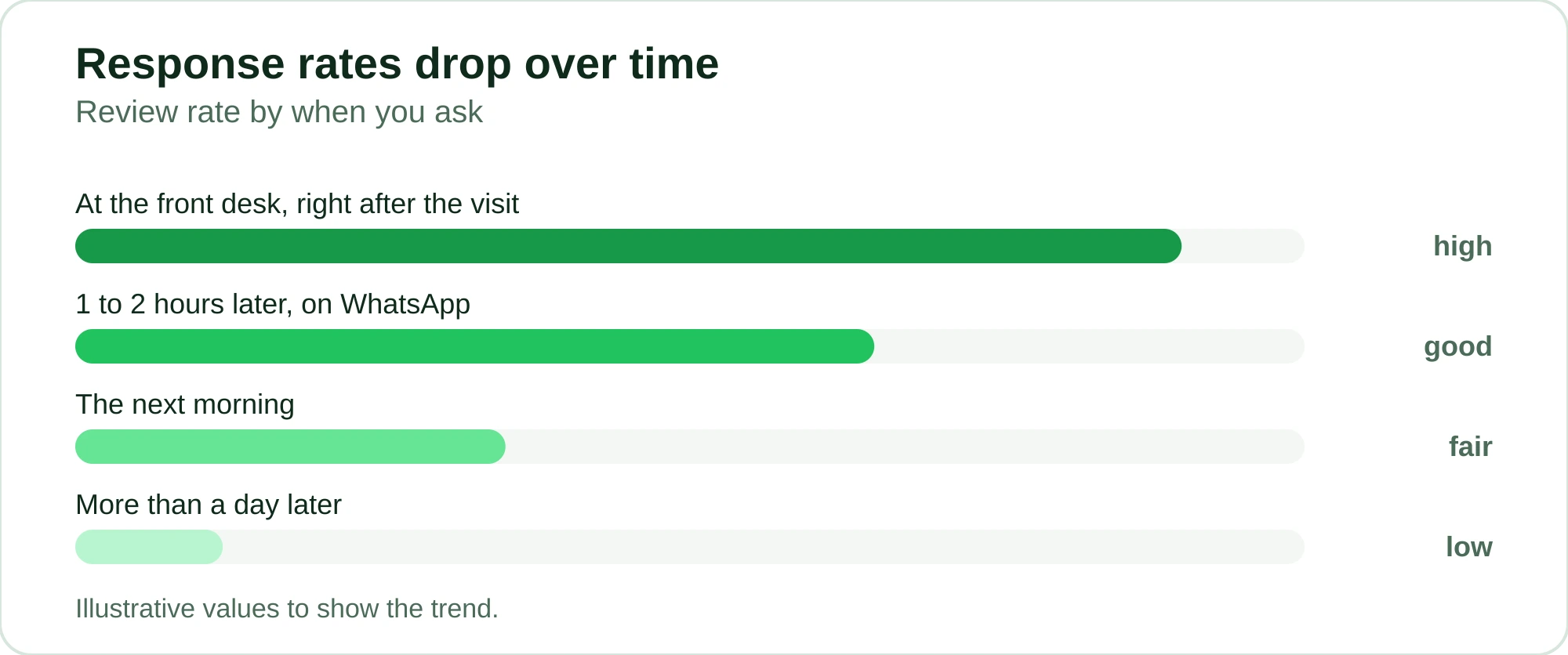
When you ask changes your response rate completely. Ask at the wrong moment and the review never happens.
Three windows work well:
- Right after the appointment, still at the front desk. The client is looking at the result and their mood is at its peak. A quick "Mind if I send you a link so you can rate us?" carries far more weight here than on any other day.
- One to two hours later, on WhatsApp. They've left, seen the cut or the color again in their own mirror, maybe gotten a compliment. That's the moment for a short message.
- The next morning at the latest. After that, the memory of the visit fades and your chances drop sharply.
Don't ask for a review on the back of any friction: a client who waited too long, a service that didn't come out as agreed, a schedule running late. In those cases, fix the problem first. Stars can wait.
Don't ask for "a review." Make reviewing easy.
There's a huge difference between "leave us a review on Google" and sending the direct link that opens straight to the star screen. Every extra tap you ask for loses people halfway.
Rule of thumb: the client should be able to leave a review in under 15 seconds without searching for anything. Direct link, ready-made message, zero hassle.
How to ask clients for reviews on WhatsApp without being annoying
WhatsApp is the natural channel because that's where your clients already are. But sending messages by hand, one by one, at the end of every shift? Nobody keeps that up for more than two weeks.
A few rules so it doesn't feel like spam:
- Use their name and the service. "Hi John! Great to see you today for the cut and beard trim" works much better than a generic text.
- Ask for one thing only. Either the Google review or a 1-to-5 rating. Don't stack three requests in the same message.
- Give them a way out. Make it clear that if something wasn't right, they can reply to you right there. That catches the complaint before it turns into a public one-star review.
- Don't push. Sent it and got no answer? One gentle reminder at most. Chasing people for reviews drives them away.
A short template you can adapt:
Hi [name]! Hope you're loving today's result. If you have a minute, your review would really help us out: [link]. And if anything wasn't quite right, just tell me here and I'll fix it.
That "tell me here and I'll fix it" is the detail that heads off a public argument and shows you care.
Automate the follow-up and stop relying on your memory
Asking for reviews by hand works until the day the shop gets packed. In the middle of a rush, nobody remembers to message 18 clients. And the busy days are exactly when you need social proof the most.
This is where RobotiZap comes in. Because the entire booking happens on WhatsApp through the official WhatsApp API, the system knows who was served and when. You set up the post-appointment review once and it goes out by itself, at the interval you choose after the appointment, with the client's name and service already filled in. No spreadsheet, no one keeping track of who still needs a request.
And since RobotiZap runs as a Meta-certified Tech Provider, these messages go out through the official API. That's very different from automating messages on a regular number, which is the fastest way to get blocked.
The practical gain is simple: every time someone is served, the request goes out at the right moment, every time. Because it always goes out, even on the busiest days, you stop losing the reviews that slip away today just because nobody remembered to ask.
What to do with reviews once you have them
Collecting reviews does nothing if they just sit there. The payoff comes from where you put them.
Social proof where the client makes the decision
A review only works for you if it shows up where people are choosing where to book. A few places that pay off:
- Google Business Profile. It's the first place new clients check before they visit. The number and freshness of your reviews matter for trust and for local search.
- Instagram stories and feed. A screenshot of a genuine compliment beats any polished graphic. Ask for quick permission and repost it.
- WhatsApp Status. Where your own clients already see you every day.
If you want to go further and build out your marketing properly, see how to market a barbershop on a budget and, for salons, how to attract clients to your beauty salon. Both strategies rely on these reviews to work.
Reply to every review, including the bad ones
Replying to compliments is easy. What changes the game is how you handle criticism. A polite reply, with no flimsy excuses, that says what you'll do differently shows readers there's an owner who's paying attention. Plenty of people book after seeing how a business responds to a problem.
Negative feedback is a map for improvement
When the same complaint shows up two or three times (long waits, trouble rescheduling, confusing charges), it points to a hole in your process. An unhappy client who disappears is money walking out the door. If you already have a list of those, you can win some of them back with the approach in how to win back inactive clients on WhatsApp.
What this is worth in practice
Think it through. A new client is choosing between your barbershop and the one down the street, both about the same price. What makes them pick yours? Almost always, it's the reviews page.
| Without collecting reviews | With automatic post-appointment follow-up |
|---|---|
| Depends on whoever remembers to ask | Goes out by itself after every appointment |
| The happy majority stays quiet | Satisfied clients get the invitation at the right time |
| Complaints go straight to the public | Clients are invited to talk to you first |
| Average dragged down by complainers | Volume balances the rating and shows you're busy |
RobotiZap has a single plan with unlimited bookings and professionals. Automatic reviews come alongside WhatsApp booking, the reminders that cut no-shows and deposit collection. Every new client who books because your profile now inspires confidence counts toward what the tool gives back.
Create your account and start a free trial of RobotiZap, with no long-term commitment. Set up the post-appointment review once and let it work while you're with clients.
Frequently asked questions
What's the best time to ask clients for a review?
The closer to the appointment, the better. Ideally, somewhere between the end of the service and the following two hours, while satisfaction is at its peak. If that doesn't work, the next morning is still fine. After that, the memory fades and hardly anyone replies.
Is it better to ask for a Google review or a rating on WhatsApp?
It depends on your goal. Google reviews attract new clients and help with local search, so prioritize them for clients you know were happy. A WhatsApp rating helps you measure overall satisfaction and catch problems before they turn into public complaints. Many businesses do both: a quick rating first, and anyone who rates you highly gets the Google invitation.
How do I get clients to actually leave a review instead of forgetting?
Remove every bit of friction. Send the direct link that opens on the review screen, with a short, personal message, at the right moment. The fewer taps the client needs, the higher your response rate. Automating the follow-up on WhatsApp makes sure the request always goes out, even on your busiest days.
What should I do with negative reviews?
Reply calmly, without a canned excuse, and say what's going to change. Readers pay more attention to your reaction than to the rating itself. And treat recurring criticism as a diagnosis: if the same complaint keeps coming up, the problem is in your process.
Can I automate review requests without risking a ban?
Yes, as long as you use the official WhatsApp API. RobotiZap is a Meta-certified Tech Provider, so review requests go out through the official channel. Automating requests from a regular WhatsApp number is what usually gets accounts blocked.